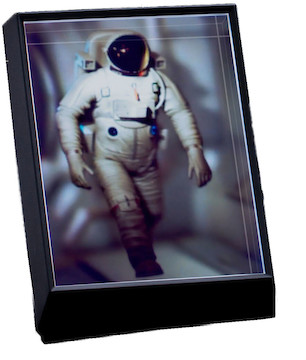
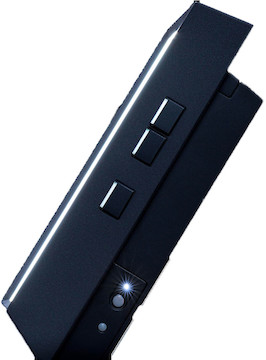
The Looking Glass Portrait is a compact holographic display capable of displaying 3D models and photographs from a computer or as a standalone display. Key features include:
Convert 2D photos to 3D
Display 3D models and video
Up to 100 viewpoints simultaneously
Comfortable 7.9-inch, 60 Hz display
Personal Holographic Display. The Looking Glass Portrait is a unique secondary or standalone display capable of converting 2D images from a smartphone or camera into 3D stereoscopic photographs. The Looking Glass creates between 45 to 100 views of a three-dimensional scene and projects those perspectives simultaneously, meaning no matter what angle you view the display from, multiple people can see different angles of the same image at once.
Onboard Computer. The Looking Glass features an onboard Raspberry Pi 4 with proprietary software capable of producing 3D images at 60 Hz even when not connected to a computer. That means a single power cable is all you need to use this display. The display comes in at 7.9 inches with a 3:4 aspect ratio, and works best with portrait mode photographs from a smartphone or other images with relevant depth information
Easy On The Eyes. Most VR and AR applications can cause eye strain and fatigue over time, limiting their functionality. The Looking Glass is a unique combination of light field and volumetric display technologies within a single three-dimensional display system that updates at up to 60fps to ensure that this display is as comfortable as looking at any standard display.
More Features. On top of converting 2D images into 3D, and displaying 3D models and video, the Looking Glass works with hardware like Microsoft’s Azure Kinect camera to capture holographic video, just like in Star Wars. In depth tutorials and videos on how to take advantage of these features can be found on the Looking Glass website.
Compatibility. The Looking Glass Portrait, and all its software, is compatible with most operating systems and computers, but when working with 3D models from programs like Unity or Blender, it’s recommended that you use a Windows PC with enough power to run those programs, for best performance. The display connects via HDMI to a MacBook or PC. Please note: While the display uses USB-C for power, it does not transmit data through USB, so to connect to a computer you will need to use an HDMI cable and compatible USB hub, when necessary.