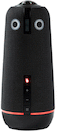
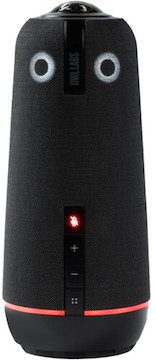
The Owl Labs Meeting Owl 4+ 360° UHD 4K Conference Camera is an advanced, easy-to-use video-conferencing system and an update to the Owl Labs Meeting Owl 3. Key features include:
UHD 4K video w/ 360° camera, mic, & speaker coverage
10’ visual radius, 18’ audio pickup
Supports most major conferencing apps
64MP sensor & USB-C connection
Panoramic Video-Conferencing System. The Owl Labs Meeting Owl 4+ 360° UHD 4K Conference Camera gives you everything you need to easily hold immersive meetings with your hybrid team.
What’s Changed? The Owl 4+ includes a number of upgrades to its predecessor, the Owl Labs Meeting Owl 3 360° 1080p Video Conference Camera. The most notable of these—UHD 4K video support—is right there in the name, but you’ll also get a 64MP sensor, a faster Qualcomm Snapdragon 8250 processor, Ethernet or Wi-Fi connectivity, an on-board mute button, quieter operation, a built-in Kensington locking mechanism, and Power over Ethernet via an optional adapter, like the StarTech USB 3.1 Type C to Ethernet Adapter.
UHD 4K 360° Camera. This camera’s single 360° lens captures panoramic UHD 4K video of everyone in the conference room within a 10-foot radius and intelligently zooms in on the person who’s speaking to emulate face-to-face conversation.
360° Mic Coverage. Eight omnidirectional mics capture audio from up to 18 feet away, and its three built-in speakers project 360° audio from remote meeting participants.
Broad Conferencing-App Support. The Owl 4+ is compatible with most major app- and web-based conferencing platforms, including Slack, Skype for Business, Zoom, GoToMeeting, WebEx, and Microsoft Teams. You can see a complete list of supported platforms here.
Easy Setup. A USB-C port connects the Owl 4+ to your host computer for desktop control and the camera’s Wi-Fi compatibility lets you control it with macOS, Windows, Android, iOS, or iPadOS devices via the Meeting Owl app. You can use a micro-HDMI cable to support an additional mic, including the separately available Owl Labs Expansion Mic for Meeting Owl 3. Connect two additional Owl devices via Owl Connect to include even more participants.
Shaped Like an Owl. If nothing in the above-described feature-set has sold you on this conference camera, just take a look at it. It’s shaped like an owl! How cute is that? And if you’re allergic to fun or you’re in a super-serious meeting or whatever, there’s even an option to turn the owl eyes off. Keep your Owl 4+ from taking off with the Owl Labs Stand for Meeting Owl 4+.