Canon CR-N500 PTZ 3-Camera and Controller Kit



Recommended:
Canon CR-N500 PTZ 3-Camera and Controller Kit
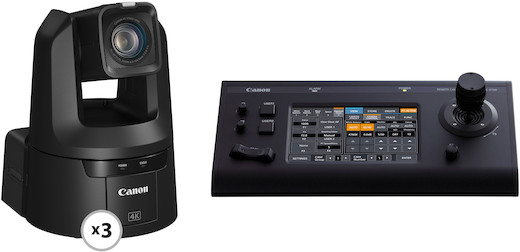
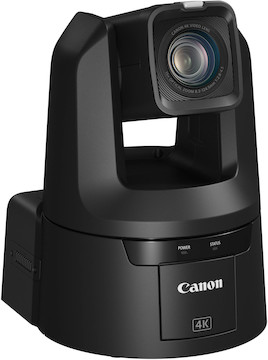
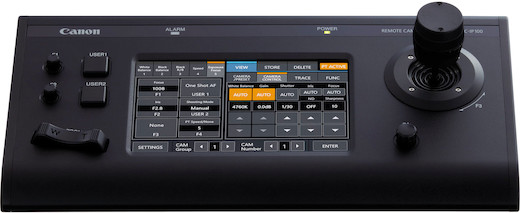
The Canon CR-N500 PTZ 3-Camera and Controller Kit consists of three CR-N500s and a RC-IP100 Controller. Key features include:
1" CMOS sensor with Dual-Pixel AF
HDMI, 3G-SDI, and IP video output
6 programmable buttons; 100 presets per camera
Ultra-responsive joystick, 7” touchscreen control panel
Q & A
No. The RC-IP100 is only compatible with select Canon PTZ cameras including the CR-N500, CR-X500, CR-N300, and CR-X300.
The Canon RC-IP100 uses a 12V power adapter, which is included with this rental, and also flagged with a matching label for your convenience.
Select compatible cameras like the Canon CR-N500 use a 24V power adapter with a similar barrel size, but that power adapter will cause permanent damage to the RC-IP100 if used by mistake.
We understand how quickly things can move during a production and decided to add our own labels to the RC-IP100 controller and power adapter to help you identify the compatible items in a pinch.
Upon initial startup, you must follow these steps:
1. Access the camera via the webUI. The IP address is 192.168.100.1 and the Subnet is 255.255.255.0
2. Assign an account name and password.
3. Reboot the camera to log back in. You’ll be prompted to enter the initial network settings.
You can avoid advanced configuration by saving the prompted network page and using the Canon Camera Search Tool for macOS / Windows.
You can monitor camera view via webUI, SDI / HDMI, and compatible third-party software.
This camera uses NDI HX2 protocol, so we recommend making sure all third-party software is up to date.
No, this camera doesn’t support microSD recording.
If you lost the IP address or login information, follow these steps:
1. Press and hold the Reset button on the back of the camera.
2. Power on the camera.
3. Wait for the front LED to blink.
4. Release the Reset button.
5. Wait ~4 minutes for the camera to complete its boot-up sequence.
Specifications
| Autofocus | Hybrid |
| Brand | Canon |
| Built-In Flash/LED | No |
| Camera Mount | None |
| Camera Type | PTZ |
| Compatible Media | microSD and External Storage |
| Dimensions | 7.9 × 10.6 × 8.2″ (W x H x D) |
| ISO Range | 160-12800 |
Specifications
| Autofocus | Hybrid |
| Brand | Canon |
| Built-In Flash/LED | No |
| Camera Mount | None |
| Camera Type | PTZ |
| Compatible Media | microSD and External Storage |
| Dimensions | 7.9 × 10.6 × 8.2″ (W x H x D) |
| ISO Range | 160-12800 |