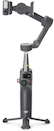
DJI Osmo Mobile 8 Smartphone Gimbal

Includes
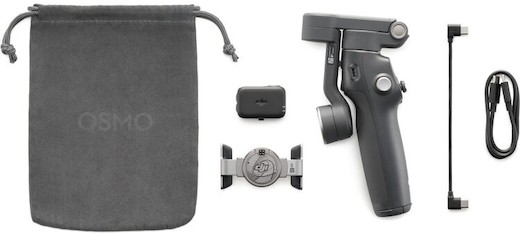
- DJI Osmo Mobile 8 Smartphone Gimbal
- DJI DA100 OM Multi Module
- DJI Angled USB Type C Cable 6-7"
- LR DJI DA100 OM Module Cover
- DJI OM 8 Magnetic Smartphone Clamp
- LR Thunderbolt 4 USB Cable 3ft
- LR Accessory DJI Osmo Mobile EVA Medium Case Insert
- Tetrafab Accessory EVA Medium Case (Black)


Recommended:
DJI Osmo Mobile 8 Smartphone Gimbal
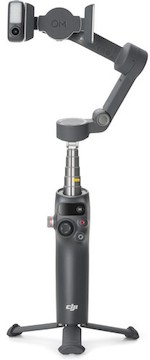
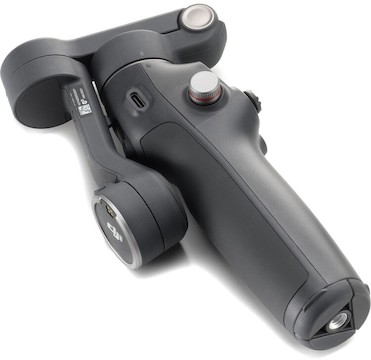
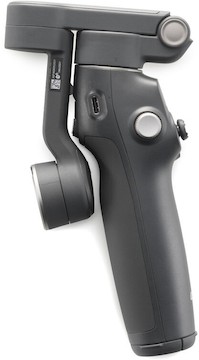
The DJI Osmo Mobile 8 Smartphone Gimbal is an intelligent and compact smartphone stabilizer designed with essential updates to the Osmo Mobile 7P. Key features include:
Magnetic phone clamp
Built-in tripod and extension rod
Multifunctional Module included
10.6 oz load capacity; Accepts devices up to 3.3" wide
Q & A
This gimbal is powered for up to 10 hours on a full charge.
Specifications
| Accessory Mounting | 1 × 1/4"-20 Female |
| Battery | Battery Type
|
| Brand | DJI |
| Compatibility | Smartphone Dimensions
|
| Connectivity | Inputs/Outputs
|
| Dimensions | |
| Display | No |
| Gimbal | Number of Axes
|
Includes
- DJI Osmo Mobile 8 Smartphone Gimbal
- DJI DA100 OM Multi Module
- DJI Angled USB Type C Cable 6-7"
- LR DJI DA100 OM Module Cover
- DJI OM 8 Magnetic Smartphone Clamp
- LR Thunderbolt 4 USB Cable 3ft
- LR Accessory DJI Osmo Mobile EVA Medium Case Insert
- Tetrafab Accessory EVA Medium Case (Black)
Specifications
| Accessory Mounting | 1 × 1/4"-20 Female |
| Battery | Battery Type
|
| Brand | DJI |
| Compatibility | Smartphone Dimensions
|
| Connectivity | Inputs/Outputs
|
| Dimensions | |
| Display | No |
| Gimbal | Number of Axes
|