Panasonic AW-UE80KPJ 4K Pro PTZ 3-Camera and Controller Kit



Recommended:
Panasonic AW-UE80KPJ 4K Pro PTZ 3-Camera and Controller Kit
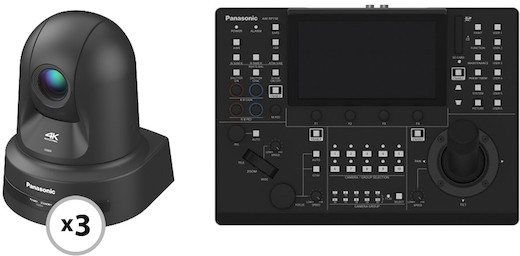
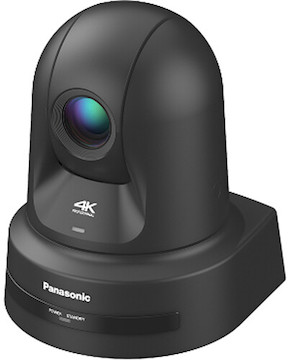
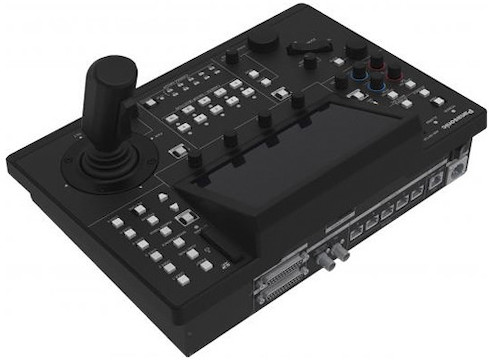
The Panasonic AW-UE80KPJ 4K Pro PTZ 3-Camera and Controller Kit consists of three AW-UE80KPJ Cameras & a RP150G Controller. Key features include:
1/2.5-inch 4K CMOS sensor
HDMI, SDI, and IP video output
Touch Panel GUI, Touch Focus & More
New joystick for one-handed operation
Q & A
The controller’s default IP address is 192.168.0.9.
Upon initial startup, you must follow these steps:
1. Access the camera via the webUI. The IP address is 192.168.0.10 and the Subnet is 255.255.255.0
2. Assign an account name and password.
3. Reboot the camera to log back in. You’ll be prompted to enter the initial network settings.
It will not. This product will only work with select Panasonic PTZ cameras.
No, this camera doesn’t support microSD recording.
You can monitor camera view via webUI, SDI / HDMI, and compatible third-party software.
This camera uses NDI HX2 protocol, so we recommend making sure all third-party software is up to date.
NDI is a high quality/high bandwidth streaming output while NDI|HX is high efficiency/low bandwidth streaming output. Use depends on your network setup.
Turn off the camera and flip up the first IR switch and first Settings switch on the back of the camera and power cycle. Once power cycled, unplug the camera and flip the switches back off. Once camera is powered back on it will be at its original factory settings.
Access the webUI and go to setup at the top
Enter username and password if prompted
Select the Network tab
Select Streaming Format
Select High Bandwidth NDI or NDI|HX2 under drop down menu and set.
Specifications
| Autofocus | Contrast Detection |
| Brand | Panasonic |
| Built-In Flash/LED | No |
| Camera Mount | None |
| Camera Type | PTZ |
| Compatible Media | External Storage |
| Dimensions | 8.3 × 6.7 × 6.7″ (W x H x D) |
| ISO Range | 100-6400 |
Specifications
| Autofocus | Contrast Detection |
| Brand | Panasonic |
| Built-In Flash/LED | No |
| Camera Mount | None |
| Camera Type | PTZ |
| Compatible Media | External Storage |
| Dimensions | 8.3 × 6.7 × 6.7″ (W x H x D) |
| ISO Range | 100-6400 |