
A Studio Photographer’s Review of the Sony a7R IV
Since the release of the Sony Alpha series of cameras back in October of 2013, Sony has been on a steady pace to take over the professional camera market. But that steady takeover has come with a lot of releases. Nearly six years later, ten different cameras have been released into the Alpha series. With that many released, the burden of product development has hit the wallets the hardest. Even still, it’s hard to debate the incredible product that Sony is producing, especially when looking at the competition. So today, we’re going to look at the latest and greatest from Sony’s busy release cycle, the Sony a7R Mark IV.
Overview & Features
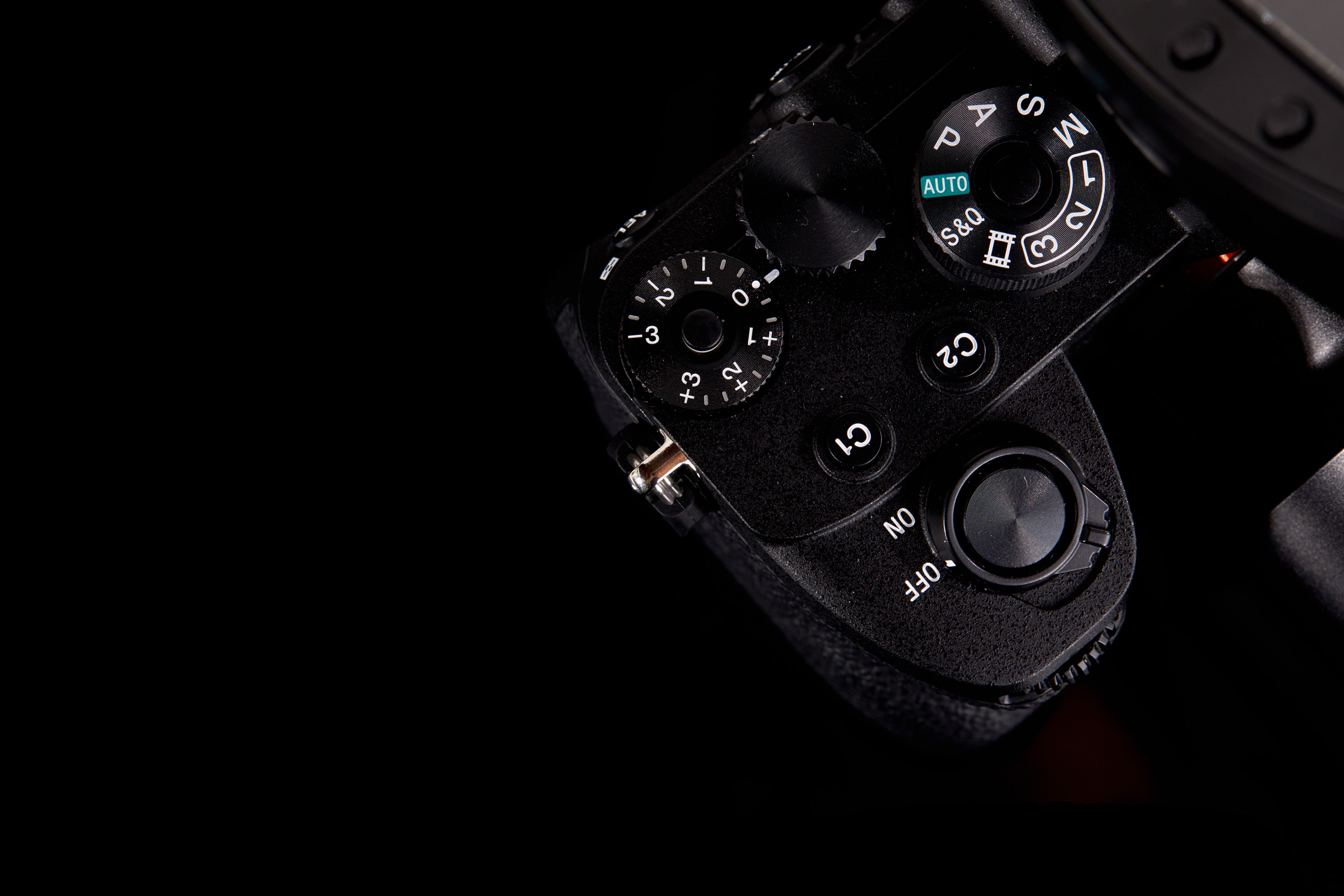
The Sony a7R IV is the latest in Sony’s full-frame mirrorless system and is a feature-full camera system designed for the professional photographer. If you’re familiar with the a7R line of cameras, you’re probably already well versed in what they have to offer, and I’ll spare you on talking about every little detail about the camera. However, there is still a lot of talk about that is new with the system, most notably the latest sensor. Sony has dethroned the Canon 5DR has the highest resolution full-frame camera with its impressive 61 megapixels. While one could argue that no one needs 61 megapixels, and I’d at least passively listen to their arguments, one subset of photographers (a subset I’m apart of and will approach this review as) that would disagree, are studio photographers. 61 megapixels has a lot of uses in a studio environment, where resolution is a significant hurdle to consider when shooting for various brands and campaigns. And if 61mp isn’t enough with the Sony a7R IV, Sony has also implemented pixel shift, giving you the option to take 16 different photos, where the sensor is moved by half a pixel each time, and giving you the effective resolution up to 240mp.
But the updates don’t stop at just resolution. The Sony a7R IV has also improved their already impressive autofocus system – bumping the phase-detection focus points from 399 on the Sony a7r III to 567 phase-detection points on the Sony a7r IV. They also improved on the already excellent electronic viewfinder, extending its dot panel to 5.7 million dots. The new Sony a7r IV also saw the criticism of Nikon Z7‘s single memory card slot and equipped the new system with two SD slots. Rounding out the feature list is ten fps shooting, USB Type-C charging/tethering, and options for wifi tethering with full RAW transferring.
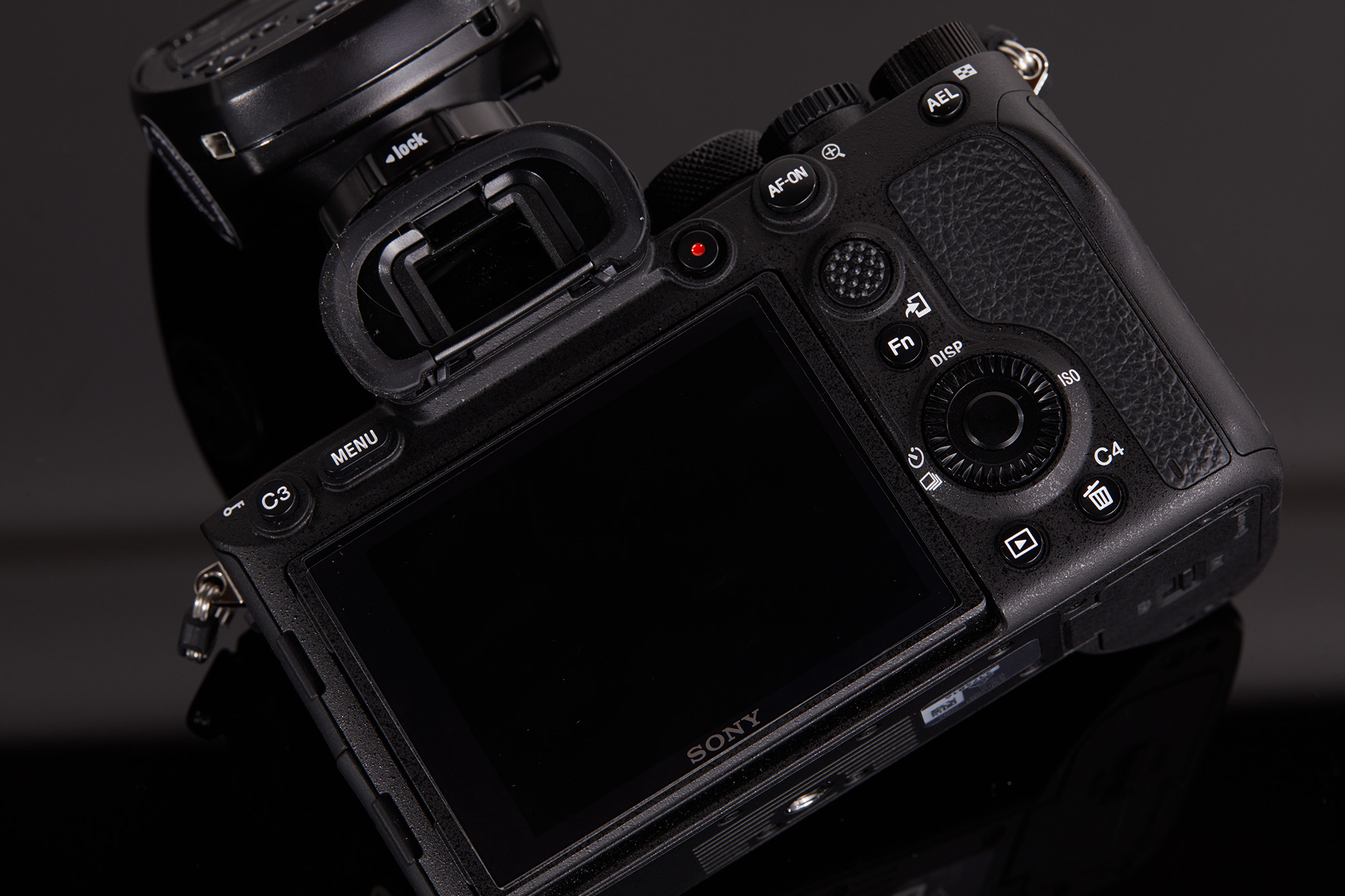
When it comes to video, Sony offers up the same features that were in the Sony a7s II, but offers an improved autofocus system, and removing the 29 minute record time limitations. Out of the box, the Sony a7r IV offers 4K records up to 30fps and offers the Eye AF autofocus system while in use. Dropping the resolution down to 1080p gives you an impressive 120fps with their boasted 14-stops of dynamic range. While many videographers are begging for a refresh to the a7s line of Sony systems, Sony seems to be combining the two platforms with this release, offering you an incredibly capable video camera in the body of a 61mp monster of a stills camera.
Build Quality
Perhaps one thing I noticed first when I received the Sony a7R IV in the mail, though, was it’s subtle size change. I have pretty large hands, and my biggest criticism with many of the mirrorless systems is that they just don’t feel comfortable to hold. As a shooter who will carry his Canon 5D Mark IV in my hands for 8-10 hour days, I want to make sure I have a camera that feels good to hold. Upon grabbing the Sony a7R IV out of the box, I was surprised by how well it felt in my hands, and so I immediately went online to see what was changed about the camera.
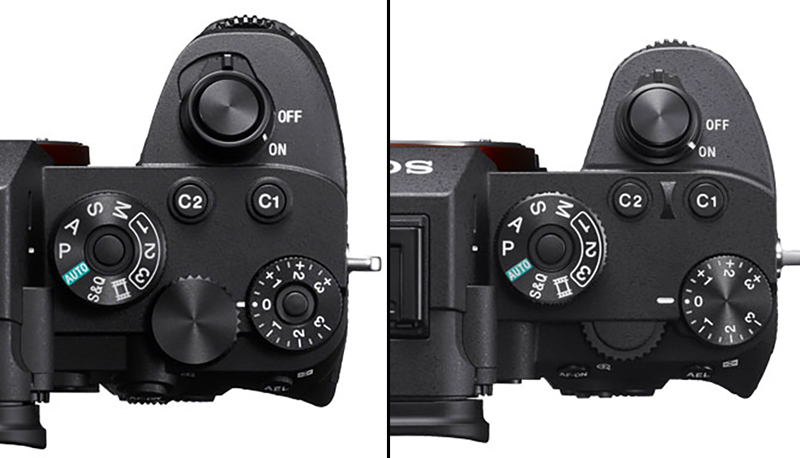
For one, the grip of the camera is now slightly larger, and has a stronger curve into it, for better grip. These slight changes make a pretty signification change on how the camera feels in your hand. The worries of dropping your camera are now lessened, and the subtle differents are much appreciated. Aside from the slight design change, the Sony a7R IV feels a lot like the other modern cameras in the alphas series. The magnesium alloy is sturdy in design while keeping the camera lightweight and easy to hold for long periods of time.
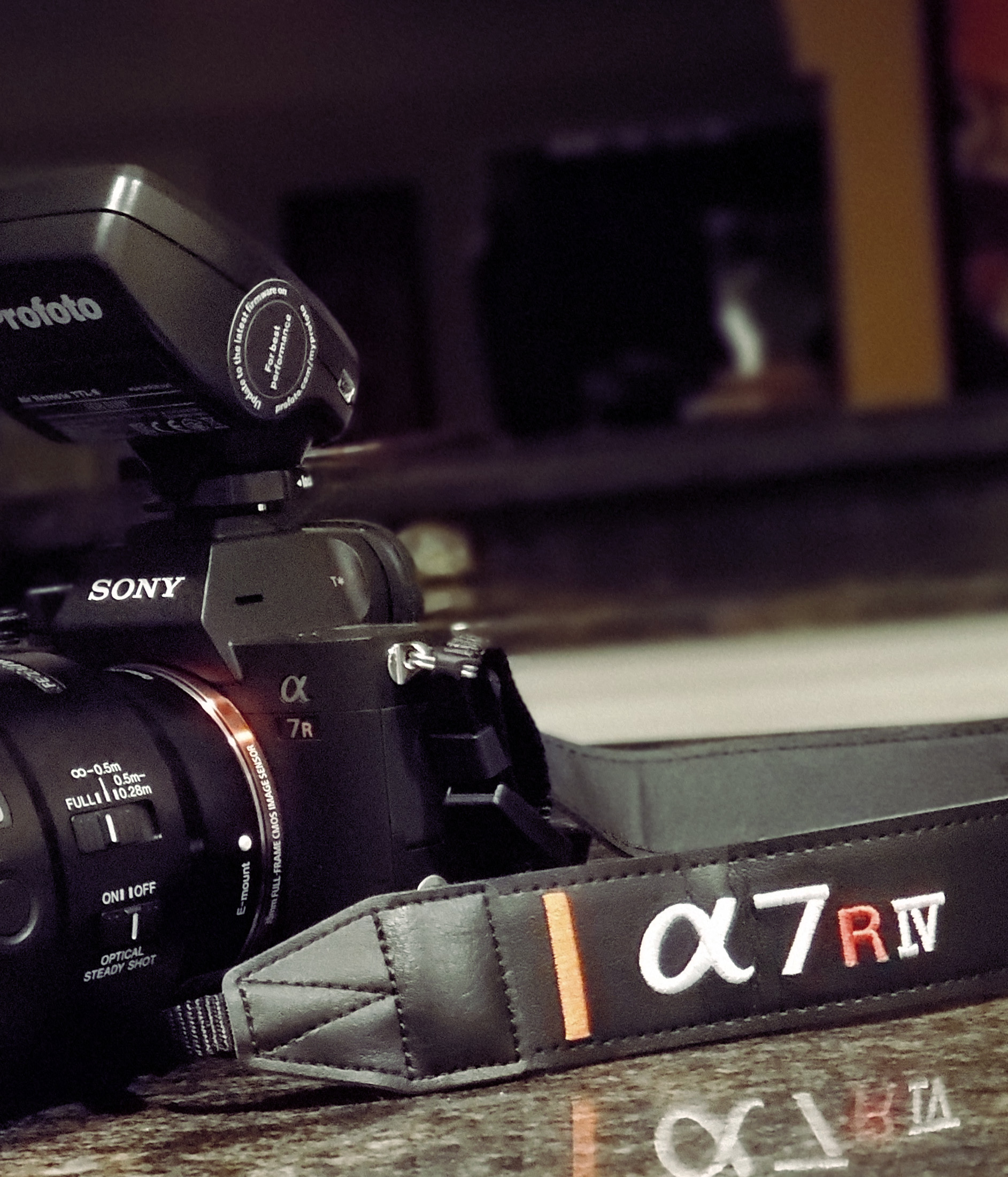
Aside from these slight body changes, there are no obvious changes to the Sony a7R IV from its previous iterations. In fact, one thing I’m relatively impressed with is that Sony doesn’t even brand its cameras with the official model name, with the exception of a tiny badge on the top. The front of the camera says “Sony a7R”, and makes no mention of which version it is. Only the strap gives the ‘Mark’ of the camera, and this level of discretion is appreciated. Where I once was a photographer who wanted everyone to see the red ring on my Canon lenses, showing off its price tag to the world, I’ve now become way more discrete with my gear, and would instead not tell the world its value with a gaudy label or red ring.
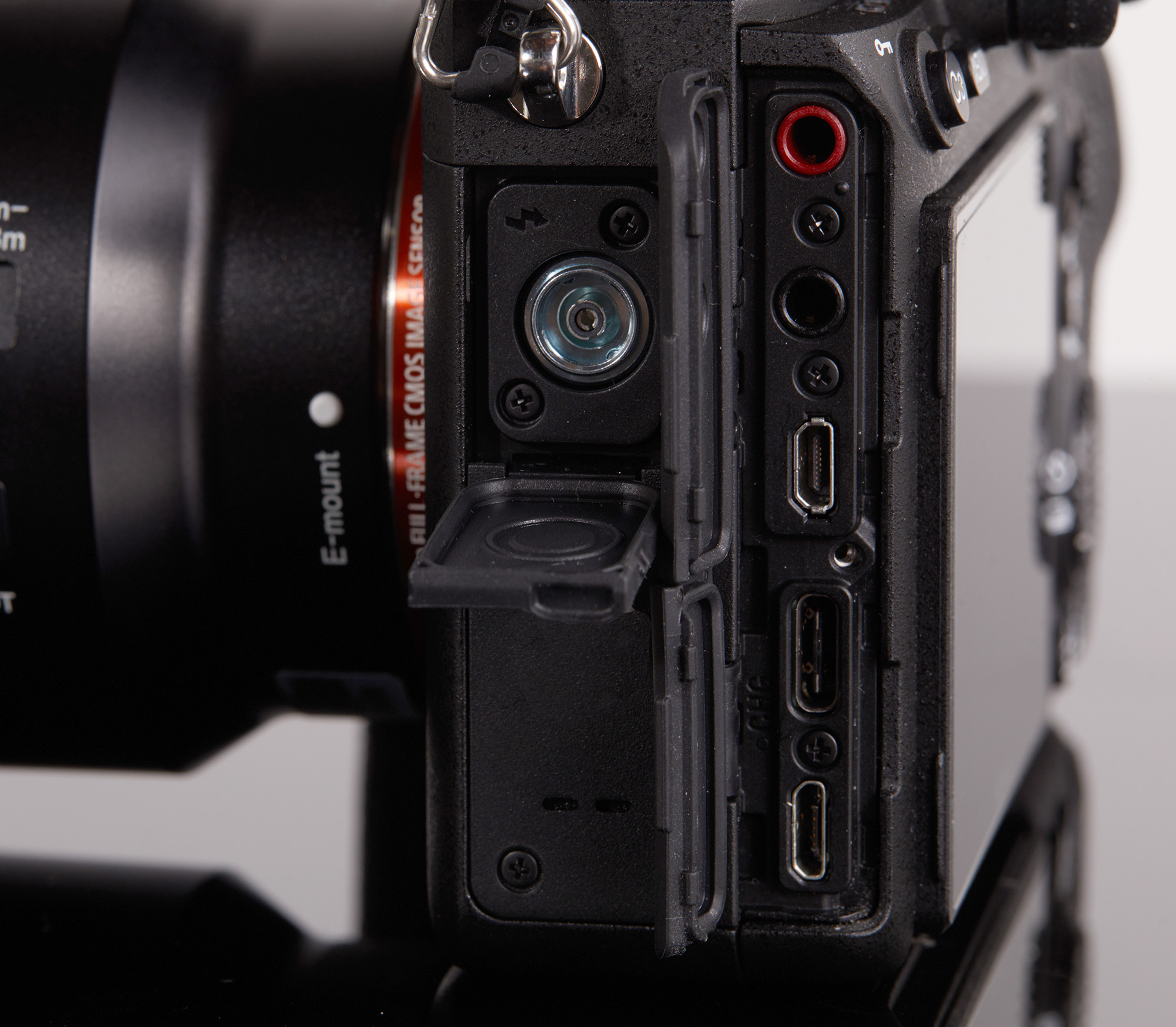
Each of the doors is equipped with dense rubber around the edges to help with protection from water and dust. All of the buttons and dials feel well built and clicky, and I have no worries about the long term life of this camera…from a build perspective. Knowing Sony, the Sony a7R V may be set to release within a year, and well before these cameras are broken. For a more in-depth perspective on the build quality of this camera, we’ll have to wait until one arrives back at our office broken, so we can unleash Roger and Aaron to take one apart and document the process fully.
Additional Features
Most certainly, you’ve probably heard the biggest downfall of mirrorless cameras – poor battery life. My approach to this review admittedly didn’t have as much foresight as I had planned, and when I placed my order, I didn’t include additional batteries with my review. Over the course of the week with the rental, I had scheduled multiple shoots, and intended on spending 20+ hours taking photos with this camera – so the single battery included in the rental had me worried. However, being a studio photographer, and spending those 20+ hours predominantly in my studio, Sony had resolved my worries with one of their greatest features – USB battery charging.

f/6.3, 1/160s, ISO 50
Photo by Zach Sutton
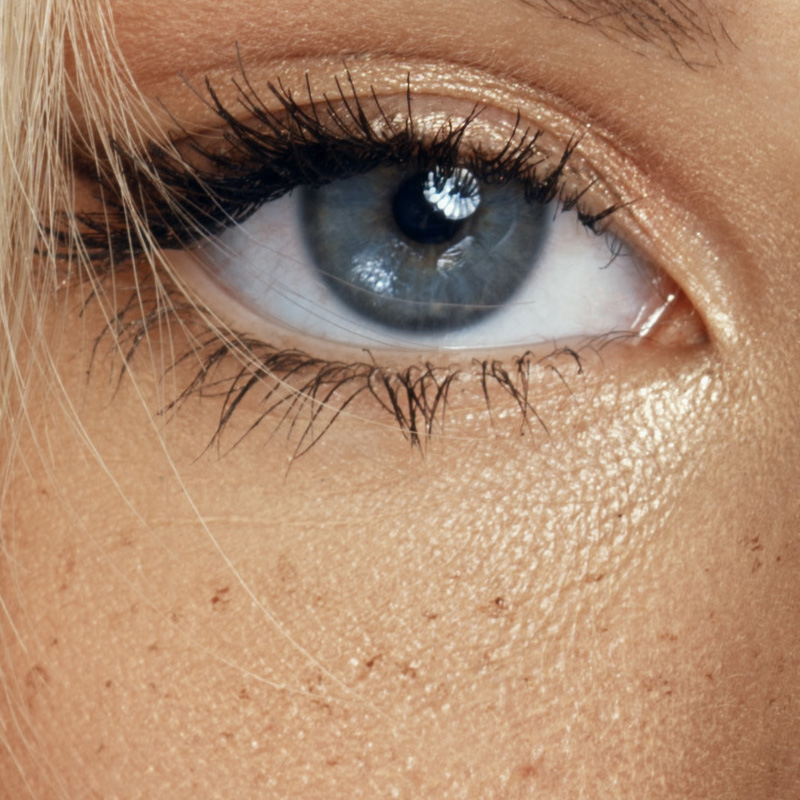
Most of my work comes tethered to a computer with the use of Capture One. This helps me get a better look at the photos as I shoot them, and allow my makeup artist, hairstylist, and other members of the team to look for any issues with the photos as I’m shooting in real-time. With the camera plugged into my laptop using USB Type-C, I quickly noticed that the camera was being charged while I was shooting. For an entire 10 hour shooting day, I didn’t see the battery drop below 98%, and the entire time shooting, I didn’t have to swap batteries once. Additionally, the use of USB 3.2 Type-C allowed for transfer speeds that were faster than anything else I’ve ever used – and the images were displayed in Capture One Pro nearly instantly, despite being 62mp in size.
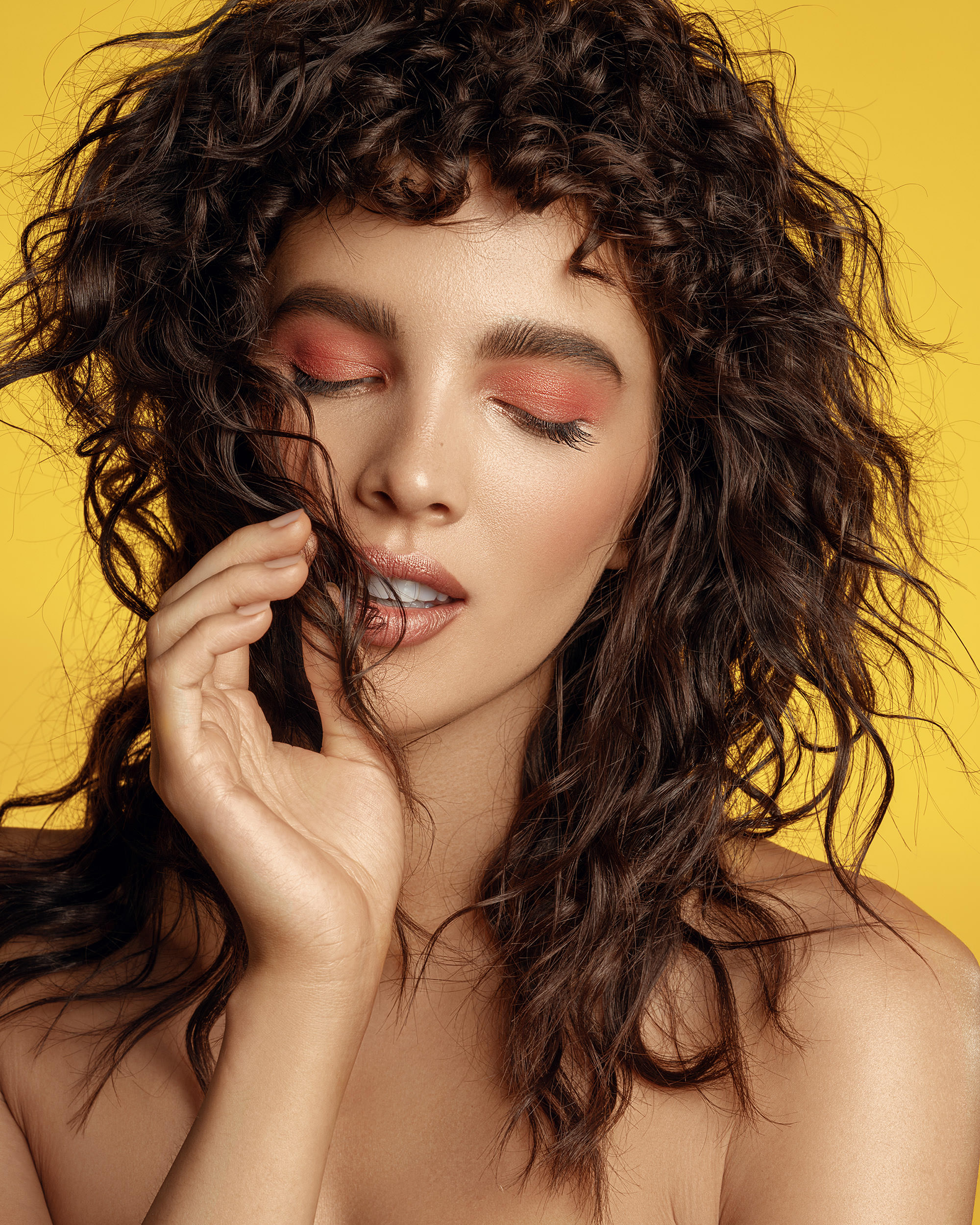
f/11, 1/160s, ISO 160
Photo by Zach Sutton
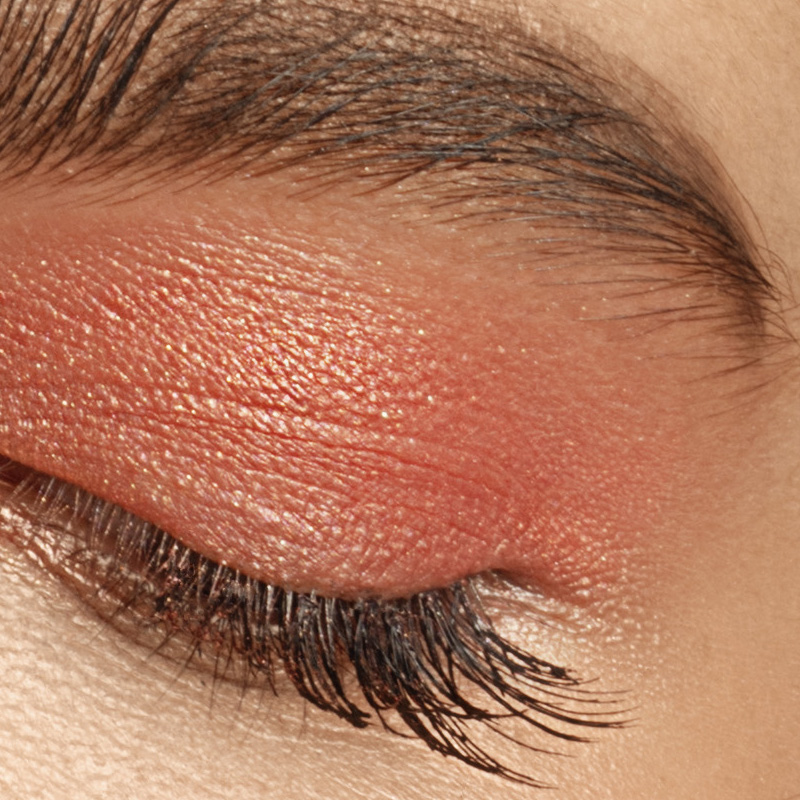
Furthermore, I really have to give Sony credit with their latest updates to their already incredible autofocus system. The Sony a7R III was previously known as one of the best in terms of autofocus, and Sony added a turbo to the system, making it even better in the Sony a7R IV. In addition to the 567 phase-detection points covering 74% of the frame, Sony has also updated the Real-Time Eye AF system, which I found to be incredibly accurate. In general use, I typically will pick my focus point, focus, and recompose the shot so that the eyes are in focus. But the end of my tenure with the Sony a7R IV, I reliability put my full trust into the Eye AF system, allowing the camera to find the eyes for me, removing the need to recompose.
The Shortfall
My biggest critical critique comes with the UX design of the Sony a7R IV. To put it poignant and simply, Sony is a technology company, and nothing more starkly shows that than with their camera systems. One thing I appreciate about pretty much every camera system is that you can flip the switch, find the dials, and it just works. As long as you’re well versed in camera bodies, you can generally work with a Nikon, Canon, or even Pentax without any hiccups.
That doesn’t hold true with Sony. When I received the Sony a7R IV from my friendly FedEx delivery person, I was excited to flip it on, set the date and time, and get to work. However, I encountered several speedbumps on the road to shooting. For one, I’m a studio photographer and shoot tethered at every opportunity. I had previously updated my Capture One to the newest version, assuring that the Sony a7R IV would be compatible out of the box. Though, upon plugging the camera into the laptop, I learned it wasn’t going to be that easy. Want to tether with the Sony a7R IV? You need to go to your settings, and find the PC Remote setting, and turn it on. Is that setting next to the USB settings in the menu? Of course not…it’s in the network settings.
The scavenger hunt doesn’t stop there. If you want to use remote flash, like a Pocketwizard or Profoto TTL-S trigger, you need to dig through the settings and find Silent Shooting and turn it off. But you’re not done there, you also then need to go and find the Flash setting, and turn it to Wireless. Only then will your hotshoe work like it’s intended to.

Photo by Zach Sutton
And these are just a couple examples among many. Simply put, when moving to Sony camera systems, you’ll find yourself navigating the convoluted menu system ad nauseum.
What I Liked
- Heavy on features while maintaining a small footprint
- Impressive 61mp sensor
- Quick and accurate autofocus
- Tethered charging is a huge asset in the studio
- Better ergonomics from previous generations
What Could Be Improved
- Unnecessarily complex menu system
- Sony’s platform is still the most expensive to get into professionally
Conclusion
Confidently, I can say that the Sony a7R IV is the best full-frame camera on the market today. The incredible image quality paired with a plethora of additional features makes it as close to the perfect studio camera as one could currently get. However, the Sony a7r IV isn’t exclusively built for the studio either. When needed, the Sony a7R IV takes an impressive 10fps and has all the added features for a broad range of photographers. This feature-rich camera personally checks all of the boxes for me and has been the first system brought by Sony that has gotten me seriously contemplating selling all my Canon gear and persuing Sony.
74 Comments
Salar Barekatain MS, DDS ·
amazing photos, do you mind me asking what flash system do you use?
Zach Sutton Photography ·
Thank you Salar.
All the photos were lit with either Profoto B1’s or a Profoto Pro Twin Head.
Mark ·
Which modifier? I’m guessing some kinda of parabolic?
Zach Sutton Photography ·
45 In Parabolic Umbrella from Parabolix. Focusing rod set to around 3.
Mark ·
Cheers!
Baconator ·
I was also curious about the modifier and actually tried to count the petals in the catchlights 🙂 Got 18 and was puzzled (I know it should be either 16 or 24).
I guess you shoot the Parabolix with the ProTwin, but wondering if you had a chance to try it with your B1? I’m still waiting for my 45 to be shipped (they are soooooo slow). Got a longer rod from the 65″ version in a hope to help with my flat heads in the flooded position.
Baconator ·
I was also curious about the modifier and actually tried to count the petals in the catchlights :) Got 18 and was puzzled (I know it should be either 16 or 24).
I guess you shoot the Parabolix with the ProTwin, but wondering if you had a chance to try it with your B1? I'm still waiting for my 45 to be shipped (they are soooooo slow). Got a longer rod from the 65" version in a hope to help with my flat heads in the flooded position.
Zach Sutton Photography ·
Thank you Salar.
All the photos were lit with either Profoto B1's or a Profoto Pro Twin Head.
Mark ·
Which modifier? I'm guessing some kinda of parabolic?
JP ·
This is a terrific write-up, Zach! For those that turtle in the studio, this short review is way more useful than most of the longer ones out there.
Zach Sutton Photography ·
Thank you JP.
Zach Sutton Photography ·
Thank you JP.
obican ·
Hi Zach,
Can you tether in Capture One with the Live View? According to the list on the Phase One website, that doesn't work. Which is very strange.
Zach Sutton Photography ·
Hey there,
I didn't try to enable live view on C1 when I was tethered, but if it's not available now, I imagine the feature would be coming soon.
obican ·
Could you let me know if you try it sometime?
It wouldn't be the first time Sony did something in the firmware department to exclude live view tethering from some of their models. I know they have their own tethering software this time so maybe there's a conflict somewhere but if that is indeed the case, I'd find it to be very annoying.
Ronald Diepenbroek ·
seriously you are thinking of switching to Sony. Does Canon come close to these photo’s.
Zach Sutton Photography ·
Hey Ronald,
Thanks for taking the time to read the article. My work with Canon is very similar to what I produced with the Sony (Though you can see examples on the Canon at https://instagram.com/zsuttonphoto). Out of the box, I generally like Canon’s color better, as I got a little more green and yellows out of skintones with the Sony. But it’s a quick adjustment with white balance.
For me, the reason for switching is the resolution. Shooting beauty, it’s nice to be able to crop in for some macro shots with ease.
Baconator ·
It’s not a huge difference going from 50 to 60 I guess? The upcoming high res EOS R is expected to have 80 or something. Unless if you’re adapting your EF glass it will be a pain to switch back and forth. Financial pain as well 😉
appliance5000 ·
I think Canon sensors are at least a generation behind sony. They make great lenses, but are slow and conservative in other areas.
Baconator ·
No doubt about that, but for a studio photographer a slightly lower DR doesn’t sound like a big deal IMO. I pretty much never need more than a half stop dodge/burn adjustments, but of course YMMV.
Baconator ·
No doubt about that, but for a studio photographer a slightly lower DR doesn't sound like a big deal IMO. I pretty much never need more than a half stop dodge/burn adjustments, but of course YMMV.
Ronald Diepenbroek ·
seriously you are thinking of switching to Sony. Does Canon come close to these photo's.
Zach Sutton Photography ·
Hey Ronald,
Thanks for taking the time to read the article. My work with Canon is very similar to what I produced with the Sony (Though you can see examples on the Canon at https://instagram.com/zsutt.... Out of the box, I generally like Canon's color better, as I got a little more green and yellows out of skintones with the Sony. But it's a quick adjustment with white balance.
For me, the reason for switching is the resolution. Shooting beauty, it's nice to be able to crop in for some macro shots with ease.
Baconator ·
It's not a huge difference going from 50 to 60 I guess? The upcoming high res EOS R is expected to have 80 or something. Unless if you're adapting your EF glass it will be a pain to switch back and forth. Financial pain as well ;)
Zach Sutton Photography ·
Hey there,
I didn’t try to enable live view on C1 when I was tethered, but if it’s not available now, I imagine the feature would be coming soon.
obican ·
Could you let me know if you try it sometime?
It wouldn’t be the first time Sony did something in the firmware department to exclude live view tethering from some of their models. I know they have their own tethering software this time so maybe there’s a conflict somewhere but if that is indeed the case, I’d find it to be very annoying.
Athanasius Kirchner ·
Now this, Zach, is very good short review. It won’t help sports or wildlife shooters, but it covers topics that are rarely touched upon by other reviewers. What you mention about the UX is certainly inexcusable, and as the roster of options continues to grow on Sony cameras, it only gets worse. It might have something to do with their corporate culture indeed, as all of the PlayStations I’ve owned have been confusing as hell in terms of menus ?
Anyway, thank you. Oh, BTW, gorgeous photos! I have never seen such good studio shots in a camera review before.
Zach Sutton Photography ·
Thanks for taking the time to read the review, Athanasius.
Don Cox ·
I have a Sony CD deck with excellent sound and appalling ergonomics.
It has to be corporate culture.
Athanasius Kirchner ·
???
appliance5000 ·
Sony has bad menus and has for always – something passive aggressive about after a few years. but they do have heavy customization options for buttons and dials as well as a quick function menu. In addition I think this has a “my menu ” area, and you have custom settings on the mode dial. The goal is to set things up so you never have to go into the menu system. I don’t know if that’s Sony’s goal – but it surely mine.
Athanasius Kirchner ·
Now this, Zach, is very good short review. It won’t help sports or wildlife shooters, but it covers topics that are rarely touched upon by other reviewers. What you mention about the UX is certainly inexcusable, and as the roster of options continues to grow on Sony cameras, it only gets worse. It might have something to do with their corporate culture indeed, as all of the PlayStations I’ve owned have been confusing as hell in terms of menus 🤣
Anyway, thank you. Oh, BTW, gorgeous photos! I have never seen such good studio shots in a camera review before.
Don Cox ·
I have a Sony CD deck with excellent sound and appalling ergonomics.
It has to be corporate culture.
Athanasius Kirchner ·
🤣🤣🤣
appliance5000 ·
Sony has bad menus and has for always - something passive aggressive about after a few years. but they do have heavy customization options for buttons and dials as well as a quick function menu. In addition I think this has a "my menu " area, and you have custom settings on the mode dial. The goal is to set things up so you never have to go into the menu system. I don't know if that's Sony's goal - but it surely mine.
Freddy ·
#1. Build quality. I don’t think it’s a subject photographers are suited to talking about. I even struggle with it (despite my qualifications) because unless you can speak to the designer and understand everything, it’s hard to judge. Unless you can check the calibrations on all of the CNC equipment as well, feeling a cold piece of metal doesn’t necessarily mean good build quality. I certainly question why the a9II has a stronger mount though. Should we infer the a7r IV is designed poorly? Or is the stronger mount on the a9II unnecessary? You cannot make a change like that and both cameras be equal.
#2. Ethernet port. I’m an FTP fanboy and I’d have liked to see the ethernet port in the a7r IV. There’s no excuse on this one.
#3. The extra dial is incredibly useful on the a9 series.
#4. I never thought the battery consumption on mirrorless cameras was high. I thought some of the batteries were low capacity.
That said, I cannot use the a9 series because I need the resolution and I also want the higher quality EVF. So basically I’m forced into having a wooden fork or a plastic knife. I cannot buy a plastic fork or something which does any particular task perfectly. I shoot Sony, I’ll remain to buy Sony cameras but it’s aggravating. I wish that they all had the same physical layout and sensors dictated what you shot. We’re not far away from Sony deliberately gimping their software to market their cameras.
As for the menu system… I don’t think it’s something the majority of people are mentally capable of grasping. I know it sounds awfully condescending, but a lot still seem to think it simply requires you to get used to the camera. If your car randomly goes backwards, in third gear, you can get used to it and not face that problem. Does it make the car better or did you just mask the problem? Sony camera menus require unnecessary button presses to change any particular value even if you operate them with 100% efficiency and without mistake.
terry Stahly ·
I hate the dial on the A9 being able to quickly change these with a custom button and the wheel with my eye still I the viewfinder is much faster and easier than having to lower the camera look at it and use two hands to change to continuous Hi when needed the bird has flown away.
Freddy ·
#1. Build quality. I don't think it's a subject photographers are suited to talking about. I even struggle with it (despite my qualifications) because unless you can speak to the designer and understand everything, it's hard to judge. Unless you can check the calibrations on all of the CNC equipment as well, feeling a cold piece of metal doesn't necessarily mean good build quality. I certainly question why the a9II has a stronger mount though. Should we infer the a7r IV is designed poorly? Or is the stronger mount on the a9II unnecessary? You cannot make a change like that and both cameras be equal.
#2. Ethernet port. I'm an FTP fanboy and I'd have liked to see the ethernet port in the a7r IV. There's no excuse on this one.
#3. The extra dial is incredibly useful on the a9 series.
#4. I never thought the battery consumption on mirrorless cameras was high. I thought some of the batteries were low capacity.
That said, I cannot use the a9 series because I need the resolution and I also want the higher quality EVF. So basically I'm forced into having a wooden fork or a plastic knife. I cannot buy a plastic fork or something which does any particular task perfectly. I shoot Sony, I'll remain to buy Sony cameras but it's aggravating. I wish that they all had the same physical layout and sensors dictated what you shot. We're not far away from Sony deliberately gimping their software to market their cameras.
As for the menu system... I don't think it's something the majority of people are mentally capable of grasping. I know it sounds awfully condescending, but a lot still seem to think it simply requires you to get used to the camera. If your car randomly goes backwards, in third gear, you can get used to it and not face that problem. Does it make the car better or did you just mask the problem? Sony camera menus require unnecessary button presses to change any particular value even if you operate them with 100% efficiency and without mistake. If you're not familiar with them, it is a scavenger hunt like you said. So they're poor for two reasons.
I agree with a lot of the points you've made. I also think you probably should switch from Canon. Sony isn't a perfect system, actually it's far from perfect, but I think it is the best available.
I hope my post shows I criticise where I feel something needs to be criticised, but I'm genuinely surprised you faced colour issues in capture one. I've only had them in lightroom.
Great post and photos :).
TRS ·
I hate the dial on the A9 being able to quickly change these with a custom button and the wheel with my eye still I the viewfinder is much faster and easier than having to lower the camera look at it and use two hands to change to continuous Hi when needed the bird has flown away.
Stanislaw Zolczynski ·
Now, what lenses are resolving this sensor?
Misha Engel ·
See for yourself https://www.lensrentals.com/blog/2019/04/just-mtf-charts-sony-fe-mount-prime-lenses/
Nicholas Bedworth ·
User interface/user experience design is completely unrelated to typical engineering fields such as optics and electronics. It’s the embodiment of the user’s intended goals and cognitive expectations, and as such is inherently an aspect of psychology and social behavior.
The typical bench engineer does not have these skills, and believes that UI/UX is just for third rate engineers and interns. Many of the jokes in Dilbert unfortunately reflect typical attitudes in the engineering fields.
So the Sony UI/UX is essentially an expression of all the options available at the hardware and software levels, without much attempt to “massage” them into more user oriented presentations (and there might be multiple classes of users for a given product). It’s a bottom up imposition of hardware considerations onto the user, rather than the reverse.
BTW most UI for electronics products are farmed out to third-party contractors who have value-add in localization (meaning dozens of languages) and validation (new firmware releases with new features) as well as checking dependencies (does activating feature x clobber feature y?).
The Sony UI is a highly mechanical and unintelligent system, with many unnecessary keystrokes, each of which is a potential source of frustrating error. Clearly UI/UX has a low priority at Sony, but of course is a major weakness as almost all comments point out.
Does Sony allow developer access to the chassis? There might be a nice business opportunity for a UI/UX firm to produce a custom approach for managing the camera.
We are active in this area because of our work in machine-learning driven medical devices, which are exotic contraptions that need to be usable by normal people. Yes, it requires a team of PhD level UI/UX scientists to establish the concepts and procedures, but then “anyone” can pick up the device and start using it to get their work done. They could care less about the device, but they just assessed a patient in 5 seconds with 2 button presses.
EvilTed ·
Sounds like you are looking for a job, but surely if you add machine learning to the experience of a camera, it won’t need any user interface?
Maybe they should add Alexa to the mix.
“Hey Alexa, take photos for me that aren’t crap”
Nicholas Bedworth ·
User interface/user experience design is completely unrelated to typical engineering fields such as optics and electronics. It's the embodiment of the user's intended goals and cognitive expectations, and as such is inherently an aspect of psychology and social behavior.
The typical bench engineer does not have these skills, and believes that UI/UX is just for third rate engineers and interns. Many of the jokes in Dilbert unfortunately reflect typical attitudes in the engineering fields.
So the Sony UI/UX is essentially an expression of all the options available at the hardware and software levels, without much attempt to "massage" them into more user oriented presentations (and there might be multiple classes of users for a given product). It's a bottom up imposition of hardware considerations onto the user, rather than the reverse.
BTW most UI for electronics products are farmed out to third-party contractors who have value-add in localization (meaning dozens of languages) and validation (new firmware releases with new features) as well as checking dependencies (does activating feature x clobber feature y?).
The Sony UI is a highly mechanical and unintelligent system, with many unnecessary keystrokes, each of which is a potential source of frustrating error. Clearly UI/UX has a low priority at Sony, but of course is a major weakness as almost all comments point out.
Does Sony allow developer access to the chassis? There might be a nice business opportunity for a UI/UX firm to produce a custom approach for managing the camera.
We are active in this area because of our work in machine-learning driven medical devices, which are exotic contraptions that need to be usable by normal people. Yes, it requires a team of PhD level UI/UX scientists to establish the concepts and procedures, but then "anyone" can pick up the device and start using it to get their work done. They could care less about the device, but they just assessed a patient in 5 seconds with 2 button presses.
EvilTed ·
Sounds like you are looking for a job, but surely if you add machine learning to the experience of a camera, it won't need any user interface?
Maybe they should add Alexa to the mix.
"Hey Alexa, take photos for me that aren't crap"
David Evans ·
Zach, a very interesting review thank you. Out of interest, why did you choose the 90mm macro lens instead of the 85mm GM lens? I’m not a studio photographer so the question is purely out of interest.
Having used Sony for nearly three years, I still have to use Google to find things in the menu system! The My Menu feature is an absolute must!
Zach Sutton Photography ·
Mostly because the lens mounted to my camera 99% of the time is my Canon 100L Macro. And when shooting beauty, I move in to get macro shots of the eyes and lips and such pretty often.
David Evans ·
Zach, a very interesting review thank you. Out of interest, why did you choose the 90mm macro lens instead of the 85mm GM lens? I'm not a studio photographer so the question is purely out of interest.
Having used Sony for nearly three years, I still have to use Google to find things in the menu system! The My Menu feature is an absolute must!
Ken ·
Great Review.
Ken ·
Great Review. It was a great improvement when grip changed from 1 to mark 2, glad to hear it was changed again.
Ross Dettman ·
Solid images Zach and an extremely accurate review. Thank you. Have you been able to use Capture One 12 Live View with the A7R4? I’ve tried and it displays the message “Live View is not supported for the connected device using PTP”.
Chris Ossenfort ·
were you able to get live view to work?
Ross Dettman ·
I wasn’t. CO12 confirms that it’s not possible and says it’s a limitation in the body/body firmware. I’ve reached to Sony for clarification and an understanding of why this functionality exists in the A7R3 and not the A7R4.
Ross Dettman ·
I wasn't. CO12 confirms that it's not possible and says it's a limitation in the body/body firmware. I've reached to Sony for clarification and an understanding of why this functionality exists in the A7R3 and not the A7R4.
Michael 'WIZNU' Wisnieux ·
I have the same problem with A7R2 + 2012 MacMini:
"3) Sony A7R2 via Capture One 20: CONNECTED but NO IMAGE — "Live View is not supported for the connected device using PTP"
https://facebook.com/WIZNUw...
Ross Dettman ·
Solid images Zach and an extremely accurate review. Thank you. Have you been able to use Capture One 12 Live View with the A7R4? I've tried and it displays the message "Live View is not supported for the connected device using PTP".
Ross Dettman ·
Zach, I now see that Live View is not yet supported for the A7R4 in Capture One.
Jacob Pritchard ·
Great review. Curious to hear about your thoughts on focus when shooting stopped down like that. In my experience the camera just can’t cut it in the studio at those kind of apertures (as it focusses partially stopped down, unlike a DSLR). This has been my biggest pain point with the A7 series, and was interested to see that you didn’t even mention it. Makes me wonder if I’m missing something.
Jacob Pritchard ·
Great review. Curious to hear about your thoughts on focus when shooting stopped down like that. In my experience the camera just can't cut it in the studio at those kind of apertures (as it focusses partially stopped down, unlike a DSLR). This has been my biggest pain point with the A7 series, and was interested to see that you didn't even mention it. Makes me wonder if I'm missing something.
appliance5000 ·
I was wondering if you – or any viewers have used the 4 shot pixel shift to eliminate moire while photographing crt screens. I specialize in shooting contemporary art exhibitions and both crt and lcd screens are common. Using masking and various defocusing or stop down diffraction methods I can eliminate most artifacts, but if the pixel shift is a failsafe it would be very helpful. The images on the screens can be frozen so no issues with motion.
appliance5000 ·
I was wondering if you - or any viewers have used the 4 shot pixel shift to eliminate moire while photographing crt screens. I specialize in shooting contemporary art exhibitions and both crt and lcd screens are common. Using masking and various defocusing or stop down diffraction methods I can eliminate most artifacts, but if the pixel shift is a failsafe it would be very helpful. The images on the screens can be frozen so no issues with motion.
Ron Kusina ·
Thanks for taking the time to share your impressions. I’m guessing you’ve also used the A7R III in your work. And for those of us contemplating the investment in the A7R IV, I’m wondering if you see much difference in your portraits from those made with the A7R III. I’m guessing not, given the A7R III’s level of performance, but your input would be appreciated in this regard. Stunning portraits, BTW. Ron
Ron Kusina ·
Thanks for taking the time to share your impressions. I'm guessing you've also used the A7R III in your work. And for those of us contemplating the investment in the A7R IV, I'm wondering if you see much difference in your portraits from those made with the A7R III. I'm guessing not, given the A7R III's level of performance, but your input would be appreciated in this regard. Stunning portraits, BTW. Ron
Mark Harris ·
Unnecessarily complex menu system
Nonsense!
Sony’s platform is still the most expensive to get into professionally
Wrong!
Mark Harris ·
This is such a stupid “article”
First of all
“Knowing Sony, the Sony a7R V may be set to release within a year”
What a clueless comment! Lets see..the A7R 2 came out on August 2015, the R3 came out on October 2017!
The A7ii came out on December 2014 and the A7iii came out on April 2018!!!!
So your stupid comment is just outdated from long ago when Sony used to release cameras very quickly after the other.
And you comment about the Menus is just as bad.
“As long as you’re well versed in camera bodies, you can generally work with a Nikon, Canon, or even Pentax without any hiccups.”
This is complete BS! I have owned every camera brand (except Oly and Fuji) and ALL the menus feel like a mess until you actually sit down to learn them then I was easily able to navigate any of the cameras. Not to mention you have My Menu and button customizations on the Sony too.
But of course, just like your dumb comment about Sony release time frames, your menu absurd comment is just as outdated.
Shame on LensRental to publish this as their standards are WAY higher than this.
Mark Harris ·
This is such a stupid "article"
First of all
"Knowing Sony, the Sony a7R V may be set to release within a year"
What a clueless comment! Lets see..the A7R 2 came out on August 2015, the R3 came out on October 2017!
The A7ii came out on December 2014 and the A7iii came out on April 2018!!!!
So your stupid comment is just outdated from long ago when Sony used to release cameras very quickly after the other.
And you comment about the Menus is just as bad.
"As long as you’re well versed in camera bodies, you can generally work with a Nikon, Canon, or even Pentax without any hiccups."
This is complete BS! I have owned every camera brand (except Oly and Fuji) and ALL the menus feel like a mess until you actually sit down to learn them then I was easily able to navigate any of the cameras. Not to mention you have My Menu and button customizations on the Sony too.
But of course, just like your dumb comment about Sony release time frames, your menu absurd comment is just as outdated.
Shame on LensRental to publish this as their standards are WAY higher than this.
Tucson Dan ·
Have you communicated with ProFoto? The connection on the hotshoe for the A7R IV is not compatible with the TTL-S. This is from an email from ProFoto:
“…Thank you for reaching out. For the a7R IV, a firmware update is needed on Sony’s part, and it may be required from us as well. I imagine that it would be the same for the A9 II. We currently do not have an ETA on when that will happen. When we have clearer information on our role, we will let you know. For Sony’s role, please reach out to them.
I should note that the a7R IV began shipping last month and it has a slightly new hot shoe design. It may take time to add compatibility.”
A number of shooters have gotten the TTL-S to work and it damaged their hotshoe.
Please feel free to follow up with us in the future if you don’t hear anything
JeepWrangler_JK ·
I received that same email from Profoto and that was sometime last year and still not resolved between the 2 companies.
Tucson Dan ·
Have you communicated with ProFoto? The connection on the hotshoe for the A7R IV is not compatible with the TTL-S. This is from an email from ProFoto:
"...Thank you for reaching out. For the a7R IV, a firmware update is needed on Sony’s part, and it may be required from us as well. I imagine that it would be the same for the A9 II. We currently do not have an ETA on when that will happen. When we have clearer information on our role, we will let you know. For Sony’s role, please reach out to them.
I should note that the a7R IV began shipping last month and it has a slightly new hot shoe design. It may take time to add compatibility."
A number of shooters have gotten the TTL-S to work and it damaged their hotshoe.
Please feel free to follow up with us in the future if you don’t hear anything
albert ·
Hi Zach, May i know what tethering cable brand do you use on sony a7riv to transfer raw file to your laptop? Because mine is very slow to transfer the raw file of a7riv around 7-8 second, currently i am using cable tether (no brand) connection from usb c (sony) to usb a (on macbook). Thank u in advance
Bery ·
I find that Nikon’s and Canon’s are pre-defined how to work with the camera. Sony’s can be ‘made’ to fit your needs (whithin limites) Most hard core CanNikans have a hard time adjusting as they are trying to rebuild the handling of their previous camera.
Is it that hard to understand that ‘PC-remote’ uses NETWORK settings? My only gripe is; why the wireless flash setting isn’t in the wireless menu.
Bery ·
I find that Nikon's and Canon's are pre-defined how to work with the camera. Sony's can be 'made' to fit your needs (whithin limites) Most hard core CanNikans have a hard time adjusting as they are trying to rebuild the handling of their previous camera. B.t.w. I hate the 'press-button-turn-dial' way of working of the Nikon.
Menu wise I do like the Panasonic's.
But is it that hard to understand that 'PC-remote' uses NETWORK settings? My only gripe is; why the wireless flash setting isn't in the network menu. ;-)
JeepWrangler_JK ·
I’m still not able to get my A7R4 to work with my Profoto B1 or the A1X in TTL. Manual flash works great, but not TTL.
JeepWrangler_JK ·
I'm still not able to get my A7R4 to work with my Profoto B1 or the A1X in TTL. Manual flash works great, but not TTL.